


Introduction
In our fast-paced digital world, smartphones have become indispensable tools for communication, work, and entertainment. However, one of the most common issues smartphone users face is a cracked screen. With statistics showing that approximately 50% of smartphone owners have experienced a cracked screen, it’s clear that this is a widespread problem. The rise of Phone Screen Replacement Kits has empowered users to take their smartphone repair into their own hands, turning what was once a costly service into a feasible DIY project.
The trend towards DIY repairs is not just a matter of saving money; it is also about gaining control over your devices and reducing electronic waste. Many people are now opting for DIY solutions, with a significant portion of smartphone repair services seeing a shift towards self-repair kits. This article will explore the essential components of a Phone Screen Replacement Kit, the step-by-step process for using these kits, and additional safety tips to ensure a successful repair.
Key takeaways include understanding what a Phone Screen Replacement Kit entails, the mechanics of how to use it effectively, and the potential benefits and drawbacks of taking on this task yourself. Whether you’re a seasoned DIYer or a novice looking to save on repair costs, this guide will equip you with the knowledge needed to tackle your smartphone screen repair confidently.
What is Phone Screen Replacement Kit?
Definition
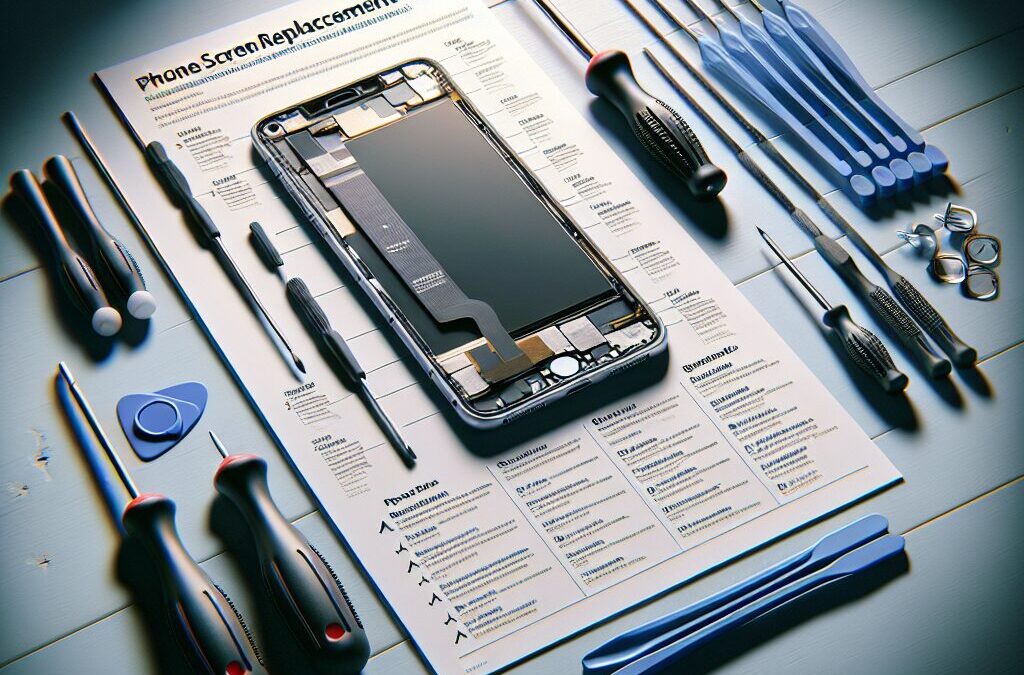
A Phone Screen Replacement Kit is a comprehensive set of tools and components designed to facilitate the repair of a damaged smartphone screen. Typically, these kits include:
- Replacement screen
- Precision screwdrivers
- Suction cups
- Plastic opening tools
- Adhesive strips
- Tweezers
These kits are specifically tailored for various smartphone models, making it easier for users to find the right components for their devices.
Historical Context
Over the years, the smartphone repair industry has undergone significant transformations. Initially, repairs were exclusively handled by professionals, often resulting in high costs and long wait times. However, as smartphones became ubiquitous, the demand for more accessible repair options surged. This led to the introduction of DIY repair kits, which have revolutionized the way users approach smartphone repairs. Now, with the availability of Phone Screen Replacement Kits, anyone can attempt a repair in the comfort of their own home.
The Importance of Phone Screen Replacement Kit
In today’s mobile-centric society, having a Phone Screen Replacement Kit is increasingly relevant. Here’s why:
- Economic Advantage: Repairing a phone screen can be expensive when done through a professional service. A DIY kit can significantly reduce costs.
- Convenience: With a kit on hand, users can perform repairs at their convenience, avoiding the hassle of sending devices away for service.
- Sustainability: By repairing rather than replacing, users contribute to reducing electronic waste, promoting a more sustainable approach to technology.
Phone Screen Replacement Kit in the Context of Consumer Electronics
The rise of Phone Screen Replacement Kits aligns with the growing consumer electronics market and a burgeoning self-repair movement. Awareness campaigns have highlighted the benefits of repairing devices instead of discarding them, leading to a cultural shift towards DIY solutions.
Key Players or Contributors
Several manufacturers and innovators have emerged in the DIY repair space, providing high-quality kits and resources. Companies specializing in smartphone repair kits have made it their mission to empower consumers by making repair resources readily available.

How Does Phone Screen Replacement Kit Work?
The Mechanics of Phone Screen Replacement Kit
Using a Phone Screen Replacement Kit involves several straightforward steps:
- Preparation: Gather all materials and tools from the kit. Ensure a clean and well-lit workspace.
- Power Off the Device: Always turn off the smartphone to prevent any electrical damage.
- Remove the Old Screen: Use the appropriate tools from the kit to carefully detach the broken screen. This typically involves unscrewing small screws and using suction cups and plastic tools to lift the screen.
- Install the New Screen: Align the new screen with the device and secure it in place using adhesive strips.
- Test the Repair: Power on the device to ensure the new screen functions correctly before sealing it back up.
Technological Foundations of Phone Screen Replacement Kit
The effectiveness of a Phone Screen Replacement Kit relies on various tools and technologies, including:
- Adhesive Techniques: Many kits include special adhesives designed to bond the new screen securely to the device.
- Screen Types: Different smartphone models may use LCD or OLED screens, and understanding these differences is essential when selecting a replacement.
Real-World Applications of Phone Screen Replacement Kit
Many smartphone models can benefit from a Phone Screen Replacement Kit. For example, users can find kits specifically designed for popular models such as the iPhone and Samsung Galaxy series. Each kit is tailored to the unique design and internal components of the phone.
Case Studies/Examples of Phone Screen Replacement Kit in Action
- iPhone Repair: An individual successfully replaced a cracked iPhone screen using a kit, saving hundreds of dollars compared to professional repair costs.
- Samsung Galaxy Repair: A user documented their experience using a Phone Screen Replacement Kit to fix a Galaxy model, showcasing the ease and effectiveness of the process.
Benefits and Drawbacks of Phone Screen Replacement Kit
While there are many advantages to using a Phone Screen Replacement Kit, there are also potential drawbacks to consider:
Benefits:
- Cost-effective
- Convenient and quick
- Reduces electronic waste
Drawbacks:
- Requires some technical skill
- Risk of further damage if not done correctly
- Warranty concerns for some devices
FAQs
1. What is included in a Phone Screen Replacement Kit?
A Phone Screen Replacement Kit typically includes a replacement screen, adhesive strips, precision screwdrivers, suction cups, plastic opening tools, and tweezers. These components are essential for safely and effectively replacing a damaged smartphone screen.
2. Can I use a Phone Screen Replacement Kit on any smartphone?
Not every Phone Screen Replacement Kit is universal. It’s crucial to select a kit that is specifically designed for your smartphone model. Each kit is tailored to fit the unique dimensions and components of different devices.
3. How difficult is it to replace a phone screen using a kit?
The difficulty of replacing a phone screen varies based on your experience with DIY repairs. Many kits come with detailed instructions, making it accessible for beginners, but some technical skill may be required to avoid damaging the device further.
4. Will replacing my phone screen void its warranty?
Replacing your phone screen yourself may void the warranty, especially if done improperly. It’s advisable to check the warranty terms provided by the manufacturer before proceeding with a DIY repair.
5. How long does it take to replace a phone screen?
The time it takes to replace a phone screen using a Phone Screen Replacement Kit can vary. On average, the process can take anywhere from 30 minutes to a few hours, depending on your skill level and the complexity of the device.
6. What safety precautions should I take when using a Phone Screen Replacement Kit?
When using a Phone Screen Replacement Kit, always power off your device, work in a clean and well-lit area, and use the tools provided in the kit to avoid causing damage. Additionally, handle the new screen carefully to prevent cracks or scratches.
7. Where can I purchase a Phone Screen Replacement Kit?
Phone Screen Replacement Kits can be purchased online through various retailers, electronics stores, or specialized phone repair shops. Ensure you choose a reputable source to guarantee the quality of the kit.
8. Are there any common mistakes to avoid when replacing a phone screen?
Common mistakes include not following the instructions carefully, using the wrong tools, or applying too much pressure when removing the old screen. It’s essential to be patient and take your time during the repair process.
9. What should I do if the new screen doesn’t work?
If the new screen doesn’t work after installation, check all connections to ensure they are secure. If issues persist, you may need to consult a professional repair service for further assistance.
10. Can I reuse components from my old screen when replacing it?
In most cases, it is recommended to use all new components included in the Phone Screen Replacement Kit for optimal performance. Reusing old components may lead to further issues or an incomplete repair.
Conclusion
In summary, a Phone Screen Replacement Kit provides an excellent solution for those looking to repair their smartphones independently. With the right tools and some patience, you can save money and reduce electronic waste while gaining valuable skills. The benefits of using a kit include cost-effectiveness, convenience, and the empowerment that comes with managing your device repairs.
Understanding the mechanics and components of a Phone Screen Replacement Kit allows you to approach repairs with confidence. Whether you are motivated by budget constraints or the desire to learn, these kits are a valuable resource.
As you consider your next steps, take the plunge into DIY repairs. Equip yourself with the necessary tools, research your specific model, and follow the steps outlined in this guide. With practice, you can become proficient at screen replacements and tackle other DIY repairs in the future. Remember, taking control of your tech repairs not only helps you save money, but it also promotes a culture of sustainability and self-sufficiency in technology use.
Resource Links:
- amazon.com: Kaisi Professional Electronics Opening Pry Tool Repair Kit with Metal Spudger Non-Abrasive Nylon Spudgers and Anti-Static Tweezers for Cellphone iPhone Laptops …
- walmart.com: For iPhone Xs Screen Replacement LCD Display 3D Touch Digitizer 5.8 inch Glass with Repair Tool Kit, Compatible Models A1920 A2097 A2098 A2099 A2100 iPhone …
- reddit.com: … … india offer best pricing on Spares. Infact samsung is cheaper to repair than most chinese origin phones. Upvote 1. Downvote Reply reply. Award
